
Good remote play access to PS4
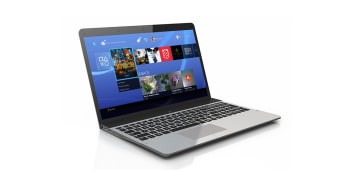
PS4 Remote Play is a free game utility software developed by Sony Interactive Entertainment Inc. for desktop play. This tool allows you to connect your PS4 consoles to more computer or laptop screens. It introduces more convenient streaming and portability when playing PS4 Pro and PS4 games.
Top Recommended Alternative

With PS4 Remote Play, gamers are able to play and access their PS4 consoles without being tied limitedly on TV; you can now possibly switch to another device present on your broadband network and keep adventures alive anywhere within your reach once you connect your controller.
What can you do with PS4 Remote Play?
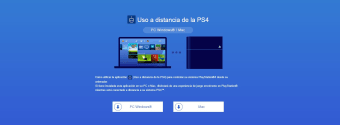
PS4 Remote Play gives the option to remote control the PS4 from your computers. You must first enable Remote Play on your PS4 console before connecting to PCs. It is built for all kinds of PS4 users. Gamers can hook up their devices and laptops to their PS4 console easily. There are times when local multiplayer may not work with two DualShock 4 controllers or any other form of wireless connection on computers.
This program allows the streaming of PS4 games anywhere around a local network, which is ideal for managing any gaming room setup or at home. It ensures freedom of movement while playing with a PS4. You can take part in voice chats during multiplayer games. You only must use an external microphone to talk to others. It can also host local multiplayer games between PC and PS4 as long as it has the same game.
How to access PS4 Remote Play anywhere
To access PS4 Remote Play anytime and anywhere in the world, you must first enable the remote access option in your console. It only requires simple and easy steps to activate it. First, you must turn on your PS4 and head to its Remote Play Connection settings. You must ensure that the checkbox for ‘Enable Remote Play’ is ticked. The console that you will use for playing must be set up as your ‘Primary’ PS4.
This handy app maximizes the availability of network technologies. It makes gaming with PS4 more convenient than ever before. You can play PS4 games remotely, communicate with other players, host multiplayer games, and save game progress. Eventually, you will get deeply immersed in your games while being remotely connected to your PS4 consoles. Bear in mind that poor internet speeds could worsen the experience with a low resolution and frame rate.
A flexible tool for PS4 gaming on the go
PS4 Remote Play offers a seamless and practical way to enjoy PS4 games beyond your TV screen. It enables gaming from a laptop or desktop via a broadband connection, making it ideal for gamers seeking flexibility. While its features are convenient and easy to access, connectivity quality and multiplayer limitations may affect the overall experience, especially for users with slower internet speeds.